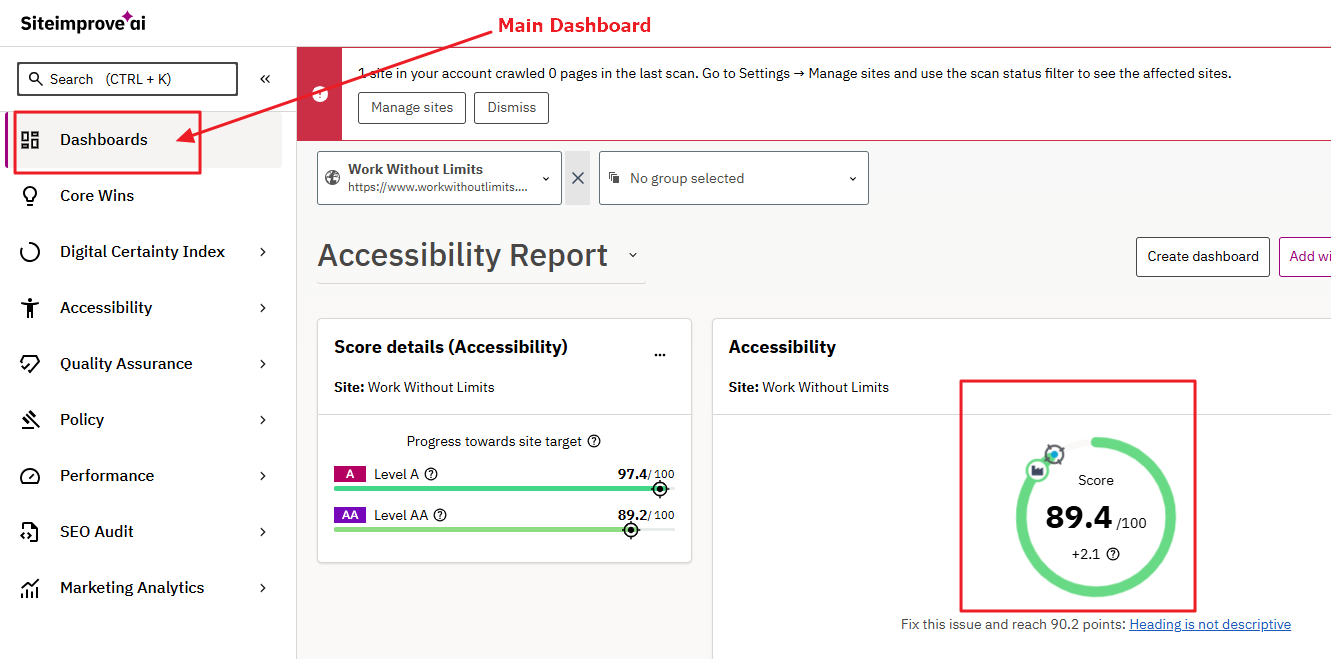
The main dashboard in Siteimprove shows an accessibility score based on points - it differs from the Accessibility dashboard as it includes PDFs with accessibility issues.
Go to Siteimprove and select your site
Make sure you are on the main dashboard - click the Dashboard menu item, first menu item on the left
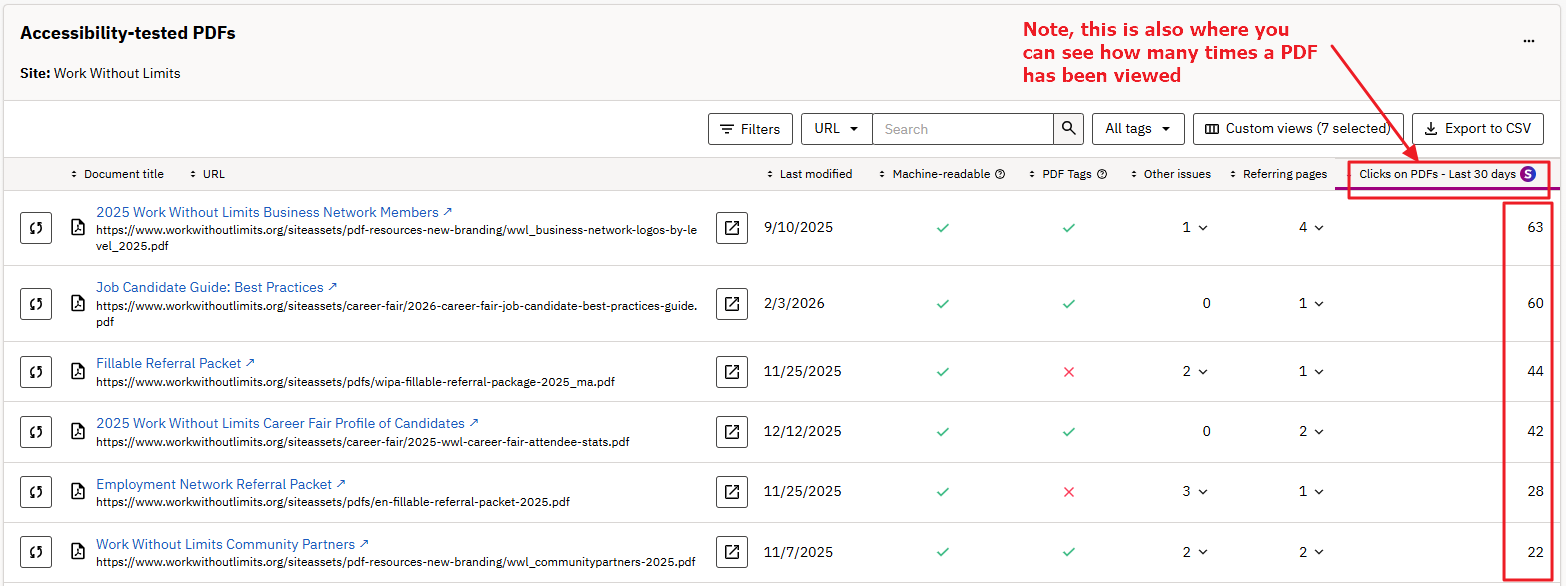
Scroll down to see a list of PDFs with accessibility issues.
Note, you can review how many views on each PDF
scroll all the way down to page through the list if there are many
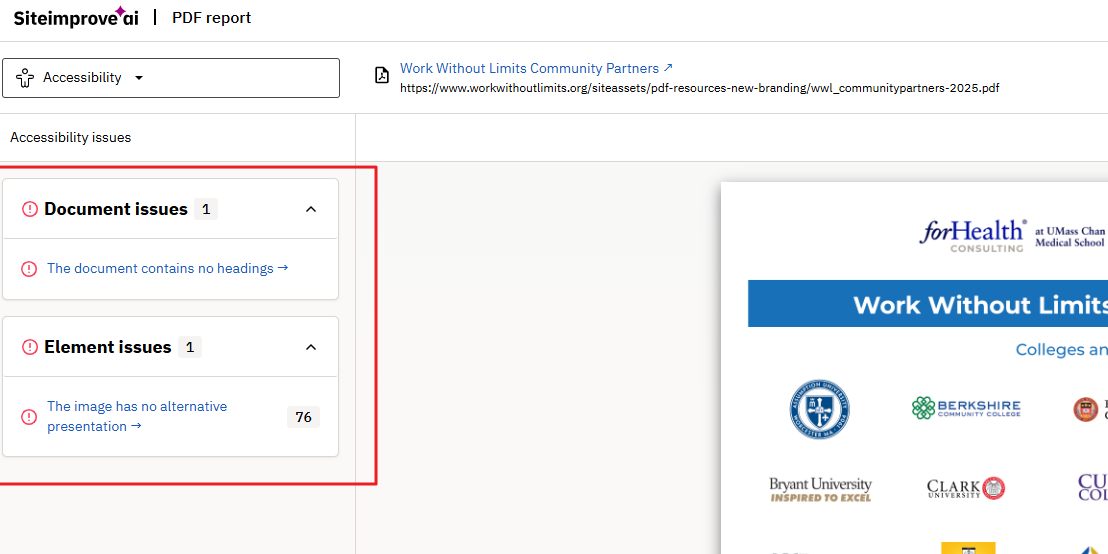
Click on a link to see what issues are noted on the PDF