
Got Junk?
What is Junk email?
O365 will move suspected spam to the Junk Email folder
Tips: It's a good idea to regularly review messages in the Junk Email folder to check for legitimate messages that were incorrectly classified as junk.
Quick Instructions
|
For Windows Users, select the email in question, then select “Report Message” then “Not Junk” |
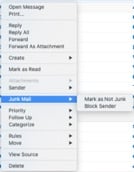
For Mac Users, right click on an email in question (or Control-click), then select “Junk Mail” then select “Mark as Not Junk” |
|
|
|
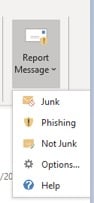
If the Message is Not Junk
In Outlook Application Junk Folder
Select Report Message > Not Junk
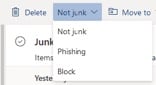
In Outlook Online Junk Folder
Select Not Junk
If the Message is Junk
In Outlook Application Inbox
Select Report Message > Junk
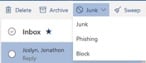
In Outlook Online Inbox
Select Junk
If the Message is a Phishing Attempt
In Outlook Application Inbox or Junk Folder
Select Report Message > Phishing
In Outlook Online Inbox or Junk Folder
Select Phishing
To Manage all Your Junk E-Mail Options
In the Outlook Application
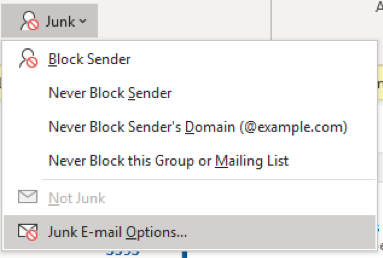
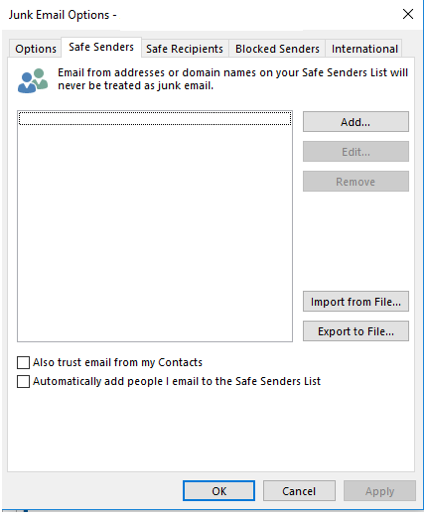
In the Outlook Application, select Home > Junk > Junk E-mail Options
In Outlook Online
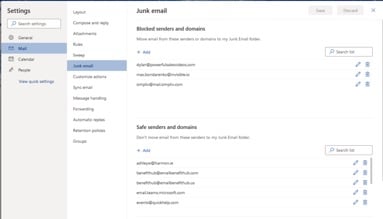
In the Outlook online, select Settings > All Outlook Settings > Mail > Junk
O365 Digest for Quarantined Messages
Details
Spam that is marked as High confidence will be sent to quarantine. You will receive a weekly digest, on Friday morning, which will list any quarantined messages that were addresses to you. The below actions are available for you to select in the digest.
Preview the message if you would like to preview the content or header prior to taking action.
Download the message if you would like to review the message and attachments (if any) on your device prior to taking action.
Release if the message isn’t spam and you want Office 365 to send the message to your mailbox.
Release & Allow Sender if the message isn’t spam and you want Office 365 to add the sender to your safe senders and recipients list for future emails. Keep in mind that your admin may have other organization wide allow/block configurations that override your safe sender list.
Release & Report, if the message isn’t spam and you want to send the message to your mailbox and report it to Microsoft for analysis.
Block if you want Office 365 to add the sender to your blocked senders list.
Advanced Options
Details
Safe Senders list
Email addresses in the Safe Senders List are never treated as junk email, regardless of the content of the message. You can add your Contacts and other correspondents to this list. Additionally, all names and addresses in the global address list (GAL) are automatically considered safe.
Safe Recipients list
If you belong to a mailing list or a distribution list, you can add the list sender to the Safe Recipients List. Messages sent to these email addresses are never treated as junk, regardless of the content of the message.
Blocked Senders list
You can easily block messages from specific senders by adding their email addresses or domain names to the Blocked Senders List. When you add a name or email address to this list, Outlook moves any incoming message from that source to the Junk Email folder. Messages from people or domain names that appear in this list are always classified as junk, regardless of the content of the message.