
Send Secure Email With Proofpoint
Proofpoint Secure Email
The purpose of an encrypted email is to protect confidentiality! Encryption conceals the content of a message by translating it into code. It’s especially useful when you need to send sensitive information that other people should not be able to access. Because email is sent over the internet, it is subject to being intercepted by hackers. Encryption adds a valuable layer of security to ensure that your message can only be read by the intended recipient.
Top 5 Questions:
How do I send a secure email in Proofpoint?
By simply putting the word SECURE in the subject line of your UMassMed email, your message will be encrypted.
By using secure email, will both my email and attachments be encrypted?
Yes, Proofpoint encrypts the entire communication including attachments.
How long until the encrypted message expires?
Encrypted emails will be available to the recipient for 7 days
How long until my password expires?
The recipient’s account password will expire every 90 days
What if we already use TLS?
If the University has a "TLS" relationship established with another organization's email, secure is not required. If the word secure is in the subject of an email going to an address that's already registered within TLS, the email will not require the recipient to create an account. If you would like to confirm the listing of domains/organizations we have TLS set up with, please visit the following inside page: Listing of TLS
How do I send a secure email?
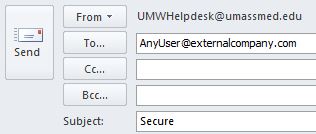
As of May 4th, to send a secure email with Proofpoint, you will simply need to put the word SECURE in the subject line of your email.
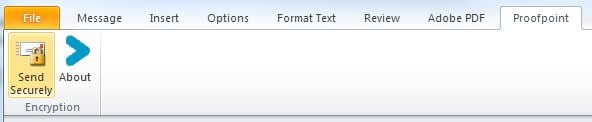
There will also be an add-in available for Outlook sometime in the near future, but it is not available at this time. Remember that your Tumbleweed button will work for this task at the moment since it puts the word "secure" in your email subject line.
What happens when an external recipient receives a Proofpoint email?
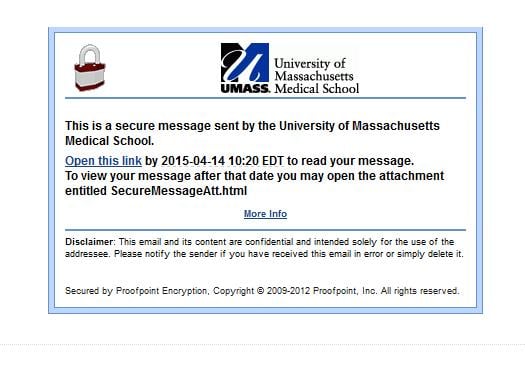
The recipient will be given seven days to read the message. If the user does not have a proofpoint account, they will immediately be brought to this screen to create one once they click the link:
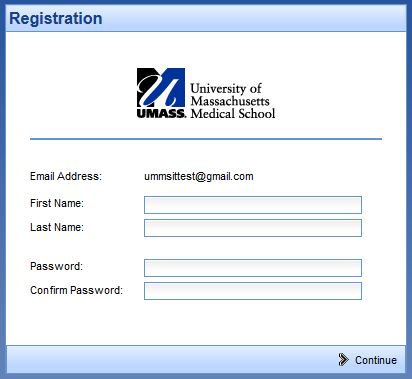
Otherwise, they will be directed to their Proofpoint mailbox where their secure messages are stored.